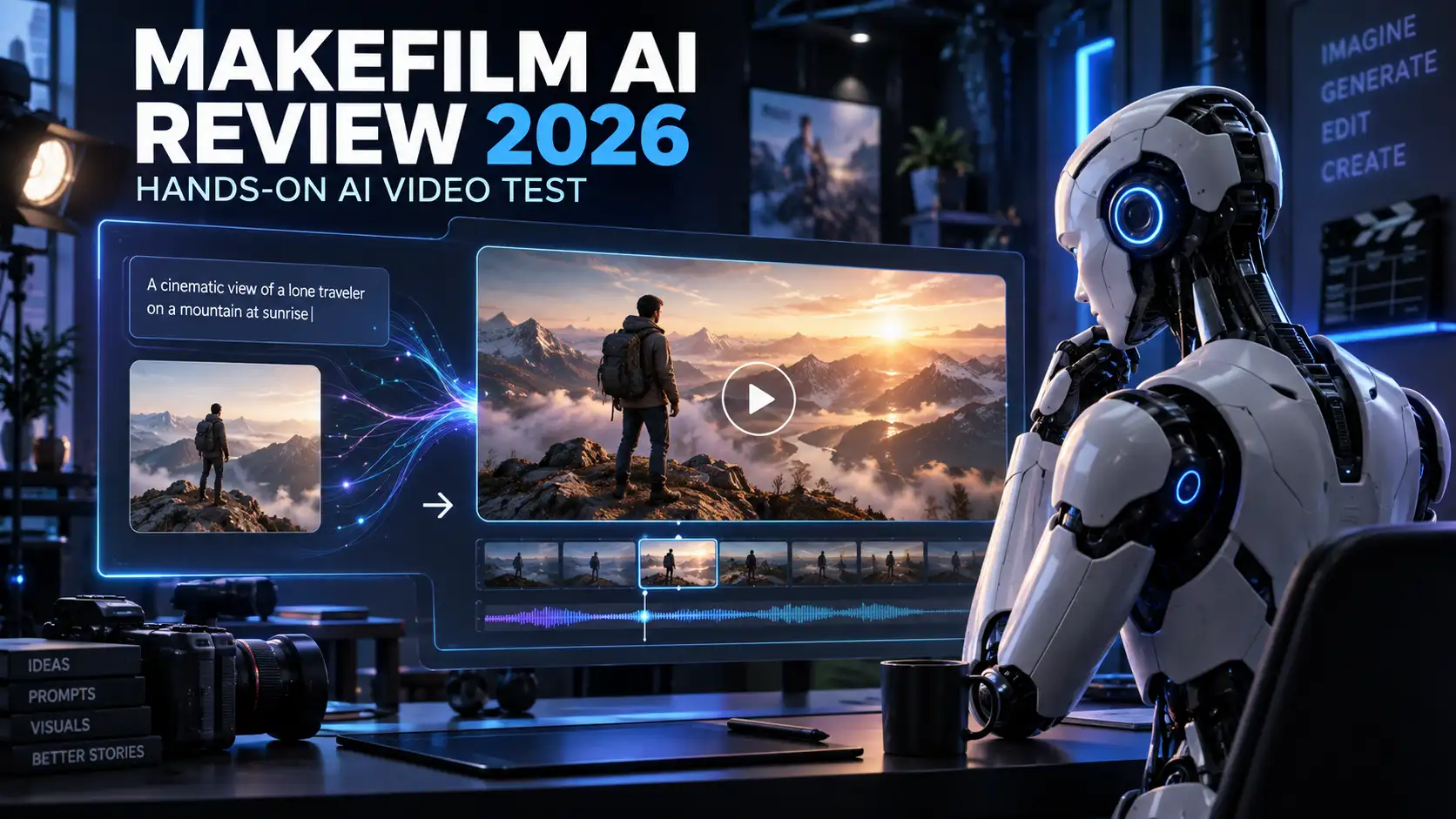

This MakeFilm AI review documents our September 12, 2026 free-trial test, including a 10-second 720p video, generation time, watermark status, and output limitations. It is a historical test record, not a recommendation to start using the service today.
Availability first: MakeFilm announced that its website would stop being active after September 15, 2026. Our September 22 check found the shutdown notice still published and key pages unavailable. For an ongoing video workflow, see our MakeFilm AI alternatives comparison. The review below separates tested results from features described by the company.
Disclosure: This independent review combines hands-on testing with research from official sources. Features and pricing may change after publication. BlogAILab may earn a commission from qualifying links at no additional cost to you.
Important Update
Updated September 22, 2026: During our original research, MakeFilm AI displayed an official notice saying the website would stop being active after September 15, 2026 and that purchases were no longer available. That date has now passed. On September 22, the official Terms of Service still displayed the shutdown notice, while the homepage and pricing page returned server errors during our checks. Treat MakeFilm AI as unavailable and this review as a historical, hands-on record—not as a recommendation to sign up or pay.
For options to consider now, see our MakeFilm AI alternatives comparison before choosing a new video workflow.
Availability check — October 4, 2026: We could not access the previously cited official privacy and terms pages during this check. The September notice above remains a dated historical observation; current access and operating status could not be independently confirmed. Verify that a service is accessible and actively supported before making a payment.
Quick Verdict
Is MakeFilm AI worth it? The tested 10-second clip was generated quickly, looked cinematic, and downloaded without a watermark. However, the company’s announced shutdown date has passed, purchases were disabled, and key official pages were unavailable when checked on September 22, 2026. Therefore, MakeFilm AI is not a practical choice for a new or ongoing workflow. Use this review to evaluate its historical output quality, then choose an actively maintained alternative for future projects.
| Category | Detail |
| Overall rating | 8.5/10 (for output quality on the tested clip only) |
| Best for | Historical reference for quick, short cinematic concept clips |
| Main strength | Cinematic visual quality |
| Main limitation | Minor visual inconsistencies; announced shutdown date has passed |
| Plan tested | Free trial |
| Features tested | Text-to-video, image-to-video |
| Generation time | Under one minute |
| Output resolution | 720p |
| Watermark | None on the tested output |
| Free option | Yes, historically (100 credits) — purchases currently disabled |
| Starting price | Historically $9.90/month (Lite plan); not currently purchasable |
What Is MakeFilm AI
MakeFilm AI is a web-based AI video generator that converts text prompts or still images into short video clips using generative AI models, and adds automated voiceovers and captions. Unlike a traditional video editor, it doesn’t require you to import footage, cut clips, or animate anything by hand — you describe or upload what you want, and the underlying models render motion, framing, and audio for you.
The platform is aimed at people without editing experience: bloggers, social media creators, YouTubers, musicians, small businesses, and marketers who need a short clip quickly. According to the official site, it also includes utility tools such as caption generation, text/watermark removal, and video summarization, positioning it as an all-in-one AI video suite rather than a single-purpose generator.
MakeFilm AI Features
The features below come from MakeFilm AI’s official feature and tools pages. We personally tested only text-to-video and image-to-video generation; the rest are listed as available on the site but were not part of our hands-on test.
Text-to-Video Generator (personally tested)
MakeFilm AI’s text-to-video tool — branded on-site as the “Instant Video Wizard” — turns a written prompt into a short clip with AI-selected shots, voiceover, and subtitles. It’s useful for bloggers and marketers who want a concept video from a paragraph of description rather than raw footage. In our test, it followed the main idea of the prompt well, though it missed a few smaller details. A practical limitation: because you don’t control individual shots, precise creative direction is harder than in a manual editor.
Image-to-Video Generator (personally tested)
This tool animates a still photo with motion, transitions, and effects — for example, turning a product photo into a moving showcase clip. It’s well suited to small businesses animating product shots or creators bringing a single image to life for social posts. In our test, motion was generally smooth with only minor issues, and the original subject stayed mostly recognizable throughout the clip.
AI Image Generator (verified from official site, not tested)
MakeFilm AI’s site lists a standalone image generator supporting styles such as realism, anime, 3D, and oil painting, with built-in upscaling. This could be useful for creators who want a source image to animate with the image-to-video tool. We did not personally test this feature.
AI Voice Generator (verified from official site, not tested)
The official site describes a voice generator with a library of voices across languages and accents, with tone, tempo, and accent controls. This is company-described functionality we did not personally verify in our test.
AI Music Video Generator (company claim, not tested)
MakeFilm AI’s site links to a dedicated “AI Music Video Generator” tool page aimed at musicians who want a video to accompany a track. We were not able to test this feature and cannot verify its output quality.
Subtitles and Captions (verified from official site, not tested)
A caption generator is listed as producing timed, multi-language subtitles automatically. This is a commonly requested feature for accessibility and social media, but we did not personally test its accuracy.
Specialized Video Templates (verified from official site, not tested)
The site includes purpose-built landing pages and tools for use cases like video memes, lyric videos, and holiday-themed clips. These function more like guided templates than a traditional template library, and we did not test them directly.
Text and Watermark Removal (verified from official site, not tested)
MakeFilm AI also advertises a tool that removes existing text or watermarks from uploaded video footage — a separate function from generating new video. We did not test this tool.
How MakeFilm AI Worked During Our Test
On September 12, 2026, we used MakeFilm AI’s free trial to test its text-to-video and image-to-video features. For the documented 10-second clip, we entered a prompt, generated the video, reviewed the result, and downloaded a watermark-free 720p MP4. Generation took under a minute. We did not verify every adjustable setting. This describes our historical test, not instructions to create an account, upload new assets, or purchase a plan after the announced shutdown.
My MakeFilm AI Test
We chose a short 10-second test because it’s enough to evaluate prompt-following, motion, and visual consistency without relying on MakeFilm AI’s longer-form capabilities, which we did not test. The concept we used was a futuristic product-visualization scene: a simple text prompt entering an AI processing environment and transforming into a finished cinematic video, ending with the on-screen text “MAKEFILM AI” and a subtitle.
I tested MakeFilm AI’s text-to-video and image-to-video features using its free trial on September 12, 2026. The 10-second video was generated in under a minute and downloaded as a watermark-free 720p MP4. It followed the main concept well and produced cinematic visuals with generally smooth motion. However, I noticed a few minor inconsistencies in the generated scene.
Test conditions: free trial plan, 10-second requested duration, MP4 export.
Result: generation completed in under one minute, output resolution was 720p, and no watermark was present on the download. The on-screen text “MAKEFILM AI” and its subtitle rendered correctly and legibly.
Strengths observed: cinematic lighting and composition, smooth camera-style motion, and accurate text rendering.
Limitations observed: small elements of the scene shifted or changed slightly between frames, and a few finer prompt details (secondary background elements) weren’t reflected in the final clip.
| Test criterion | Observation | Score |
| Prompt accuracy | Main concept followed; some minor details missed | 8/10 |
| Motion quality | Generally smooth with minor issues | 8/10 |
| Visual consistency | Mostly consistent with a few small changes | 7.5/10 |
| Text rendering | Main title and subtitle appeared correctly | 9/10 |
| Generation speed | Completed in under one minute | 9.5/10 |
| Output quality | Cinematic 720p MP4 | 8.5/10 |
| Overall rating | Balanced overall assessment | 8.5/10 |
MakeFilm AI Video Quality
Based on our single 10-second test, the output showed good sharpness and a cinematic look, with lighting that felt intentional rather than flat. Motion was generally smooth, without noticeable flickering, though the scene had a few small unwanted changes to background details between frames — this is the main quality issue we’d flag. Text rendering was accurate, correctly displaying both the requested title and subtitle. Object and background consistency was good but not perfect.
Whether this output is “suitable” for a given use depends heavily on the use case, and our conclusions here are limited to a single short clip:
- Blog promotion: Likely fine — resolution and visual polish are more than adequate for embedding in a blog post.
- Social media: Likely fine for short-form platforms where 720p is acceptable.
- YouTube: Usable for short segments, though 720p is below what many channels now use for full videos.
- Music videos: Possible for short cutaways, but we did not test the AI Music Video Generator specifically.
- Advertisements: Possible for concept testing, but commercial-use terms should be confirmed before running paid campaigns (see the Safety and Legit section below).
- Client projects: Requires caution given the minor inconsistencies we observed and the uncertainty around the platform’s continued availability.
- Professional filmmaking: Not something we can recommend based on a 10-second free-trial test; this use case would require far more extensive testing we did not perform.
MakeFilm AI Pricing
The prices below were recorded on September 12, 2026 and are historical only.
MakeFilm AI had already disabled purchases before its announced September 15 shutdown. On September 22, 2026, the homepage and pricing page returned server errors during our checks. Do not treat the following plans as currently purchasable:
| Plan | Listed price | Credits or limits | Resolution | Watermark | Best for |
| Free | $0/mo | 100 credits | Not specified on pricing page | Not specified on pricing page (our test showed none) | Trying the platform |
| Lite | $9.90/mo | 200 credits/month, up to ~8 videos | Not specified | Listed as “no-watermark outputs” | Occasional creators |
| Pro | $29/mo (up to $29 at max slider) | Up to 800 credits/month, up to ~53 videos (V2 model) | Not specified | Listed as “no-watermark outputs,” priority support | Regular creators |
| One-time credits | From $11.88 | 200 permanent credits (~13 videos) | Not specified | Not specified | Occasional top-ups |
MakeFilm AI’s official Terms still displayed the shutdown notice when checked on September 22, 2026. The announced shutdown date has passed, purchases were disabled, and the homepage and pricing page were unavailable during our checks. Treat this pricing table strictly as a historical record.
Free plan/trial:
Historically included 100 credits; our free-trial test produced a watermark-free 720p clip, though the platform’s own marketing copy lists “no-watermark outputs” as a paid-plan feature — a discrepancy worth noting.
Credit system:
Credits are consumed per generation and reset each billing cycle for subscription plans; one-time “Permanent Credits” don’t expire and can be bought without a subscription, according to the pricing page FAQ.
Maximum duration and export formats:
MakeFilm AI’s pricing page does not specify a maximum video duration or list of export formats. This information could not be independently verified at the time of publication.
Commercial-use rights:
MakeFilm AI’s Terms of Service state that users “generally own the unique assets you create using the Service,” but the same Terms grant MakeFilm AI a broad, perpetual license to use your content (including for AI training). We did not find an explicit tier-gated “commercial license” clause like some competitors publish, but you should read the Terms of Service yourself before using output commercially.
Subscription renewal and refunds:
Subscriptions auto-renew, per Section 10.1 of the Terms of Service. Per Section 10.3, refunds are only offered for service downtime or unauthorized charges, not for dissatisfaction with AI output quality, and must be requested within 7 days.
Potential additional costs:
One-time “Permanent Credit” top-ups are available as an alternative to upgrading a subscription, according to the pricing page.
MakeFilm AI Pros and Cons
Pros:
- Fast generation during our test (under one minute for a 10-second clip)
- Cinematic visual quality
- Generally smooth motion
- Correct rendering of the requested on-screen title and subtitle
- Watermark-free downloaded test output
Cons:
- Some smaller prompt details were missed
- Minor visual inconsistencies appeared within the clip
- The tested output was limited to 720p
- Only a short 10-second output was evaluated
- The official site currently states the service is shutting down and not accepting new purchases
Who MakeFilm AI Was Suited For
Before its announced shutdown, MakeFilm AI’s short-clip workflow was most relevant to bloggers, social media creators, YouTubers, and small businesses exploring visual concepts. Our free-trial test covered one documented 10-second 720p output, so it does not establish suitability for longer videos, paid campaigns, client projects, or professional filmmaking. We did not test its dedicated music video tool or verify commercial-use rights.
Who Should Not Use MakeFilm AI
New users, paying customers, businesses, and creators who need dependable long-term access should not build a workflow around MakeFilm AI. The announced shutdown date has passed, purchases were disabled, and key official pages were unavailable during our September 22 check. Choose an actively maintained alternative if you need ongoing generation, storage, support, higher resolution, or precise creative control.
Is MakeFilm AI Safe and Legit
MakeFilm AI’s site uses HTTPS, and it publishes a Terms of Service, Privacy Policy, and Return Policy, all linked from the site footer. The company behind it identifies itself as SAME JOY TECHNOLOGY PTE. LTD., registered in Singapore, and the Privacy Policy states it’s designed to comply with GDPR and CCPA.
A few points worth knowing before you decide is MakeFilm AI safe for your own use:
- The Terms of Service grant MakeFilm AI a broad, perpetual, worldwide license to use content you upload or generate, including for training and improving its AI models.
- The Terms of Service restrict access for residents of mainland China, Hong Kong, Macau, Singapore, and India — worth checking if you’re located in one of these regions.
- The Terms require users to be at least 18 years old.
- Refunds are limited to service downtime or unauthorized charges, not output quality, per the Return Policy.
- The Terms state that the company cooperates with law enforcement and may disclose relevant user information when required by law or necessary to prevent imminent harm.
We can’t independently verify how MakeFilm AI’s data-handling practices are enforced in operation, and this review is not legal advice — read the Terms of Service and Privacy Policy yourself, particularly given the platform’s stated wind-down.
MakeFilm AI Alternatives
| Tool | Best for | Major advantage | Main limitation | Free option | Starting price |
| Runway | Creative professionals wanting fine motion control | Broad, actively maintained model lineup and editing tools | Credit-based pricing can run out quickly on lower tiers | Yes (125 one-time credits) | ~$12/mo (annual) |
| Pika | Social-first, effects-driven short clips | Distinctive “Pikaffects” not replicated elsewhere | Commercial use and watermark-free exports often gated to paid tiers | Yes | ~$8–10/mo (annual) |
| Kling AI | Creators wanting a generous daily free allowance | Strong per-clip pricing at higher tiers | Free tier credits expire daily and carry a watermark | Yes (daily credits) | ~$10/mo |
| InVideo AI | Marketers who want templates, stock media, and avatars alongside AI generation | Combines AI generation with a full template/stock library | Paid tiers are pricier than pure generation tools | Yes | ~$20–28/mo |
Pricing across all four alternatives changes frequently and varies by billing cycle and region — confirm current rates on each official site before subscribing. This information could not be fully reconciled across sources at the time of publication, so treat the figures above as approximate.
MakeFilm AI vs Runway
Ease of use: MakeFilm AI’s prompt-to-video workflow is simpler and more beginner-friendly; Runway has more controls, which means a steeper learning curve.
Generation quality: Our single MakeFilm AI test scored well on cinematic look and motion smoothness; Runway is widely regarded for stronger fine-grained motion and camera control, though we didn’t run a side-by-side test.
Creative control: Runway offers more granular settings (camera movement, model selection, editing tools); MakeFilm AI’s controls were not fully documented on its site.
Available features: MakeFilm AI bundles voice, captions, and a wider set of niche tools; Runway focuses more tightly on generation and editing.
Free access: Both offer a free tier, though MakeFilm AI’s is currently not accepting purchases beyond it, per the site notice.
Pricing: Runway’s paid tiers start around $12/month (annual); MakeFilm AI’s historical entry price was lower ($9.90/month) but is not currently purchasable.
Recommendation: If you want a tool with an active roadmap and more creative control, Runway is the safer long-term choice right now. Because the announced shutdown date has passed, do not rely on remaining credits or upload new work. Use an actively maintained alternative for future projects.
Is MakeFilm AI Worth It
Based on our single 10-second test, MakeFilm AI performed well on speed, cinematic appearance, text rendering, and watermark-free export, with minor prompt-detail and consistency issues. The 8.5/10 score applies only to that tested clip.
As a product to start using now, it is not worth choosing. The announced September 15 shutdown date has passed, purchases were disabled, and key official pages were unavailable on September 22. Runway, Pika, Kling AI, or InVideo AI are lower-risk choices for an ongoing workflow.
Final Verdict
Historical strength: Fast, watermark-free generation with cinematic visual quality in our test.
Main limitation: Minor visual inconsistencies, plus an announced shutdown whose stated date has now passed.
Current recommendation: Do not sign up, pay, upload new assets, or depend on MakeFilm AI for future work. Choose an actively maintained alternative.
Final rating: 8.5/10 for the tested clip only. This is an output-quality score, not a current product recommendation.
If you’re building any kind of ongoing AI content workflow — whether it’s video, blog posts, or a mix — it’s worth reading our guide to how to write better AI prompts and our AI blog writing workflow so you’re not caught off guard the next time a tool changes course. And since claims like MakeFilm AI’s “1M+ active users” statistic are common in this space, our guide on how to fact-check AI-generated content is a useful companion read.
Frequently Asked Questions
What is MakeFilm AI?
MakeFilm AI is a web-based AI video platform that turns text prompts or still images into short video clips, with added voiceover and caption tools. It’s designed for creators without video editing experience who want a quick, prompt-driven way to produce short clips.
Is MakeFilm AI free?
MakeFilm AI historically offered a free plan with 100 credits, and our test produced a watermark-free clip. The announced September 15 shutdown date has passed; purchases were disabled and key official pages were unavailable during our September 22 check.
- How much does MakeFilm AI cost?
MakeFilm AI’s pricing page has listed a Lite plan at $9.90/month and a Pro plan up to $29/month, plus one-time credit packs from $11.88. These prices are historical and not currently actionable. Purchases were disabled, and the announced shutdown date has passed.
Does MakeFilm AI add a watermark?
Our free-trial test produced a 720p MP4 with no visible watermark, though MakeFilm AI’s own marketing copy lists “no-watermark outputs” as a paid-plan feature. This inconsistency could not be fully resolved from public information.
Can MakeFilm AI create videos from images?
Yes. We personally tested MakeFilm AI’s image-to-video tool, which animates a still photo with motion and effects, and found the motion generally smooth with only minor issues.
Can MakeFilm AI videos be used commercially?
MakeFilm AI’s Terms of Service say users generally own the assets they create, but grant the company a broad license to your content. There’s no clearly documented commercial-use tier like some competitors publish. Review the Terms of Service yourself before commercial use.
Is MakeFilm AI safe?
MakeFilm AI published a Terms of Service and Privacy Policy, but the announced shutdown date has passed and key official pages were unavailable during our September 22 check. Do not upload new personal or client data to a service whose current availability and support cannot be confirmed.
How long does MakeFilm AI take to generate a video?
In our test, a 10-second video generated in under one minute on the free trial plan. This may vary by feature, prompt complexity, and current plan.
What are the best MakeFilm AI alternatives?
Based on our research, actively maintained alternatives include Runway, Pika, Kling AI, and InVideo AI, each with different strengths in motion control, effects, free credits, or template libraries.
Is MakeFilm AI worth it?
The output quality we tested was good, but MakeFilm AI’s announced shutdown date has passed, purchases were disabled, and key official pages were unavailable during our September 22 check. We do not recommend relying on it now; choose an actively maintained alternative.



[…] saying it would stop being active after September 15, 2026 and that purchases were unavailable. Our MakeFilm AI review records the earlier hands-on experience. We could not independently verify its current operating […]