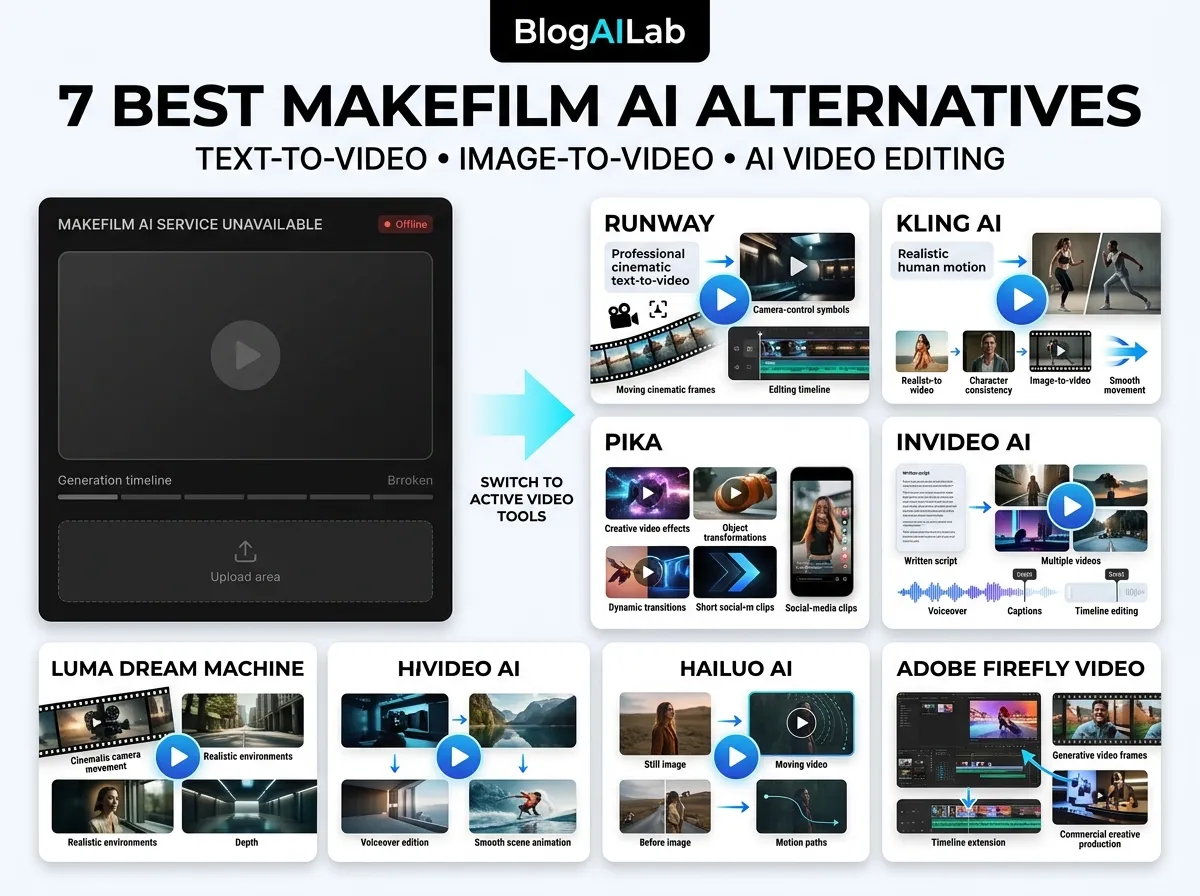

MakeFilm AI alternatives serve two different needs: generating individual clips and assembling a finished video. Start with Runway for a documented, credit-based creative workflow, InVideo for video assembly and editing, or Pika for short visual experiments. Your best choice depends on the task, budget, and output licence.
Research disclosure: This is a documentation-based comparison, not a hands-on benchmark of these seven alternatives. Pricing information available on official pages was checked on October 1, 2026. We have not measured generation speed, output quality, or success rates. Unconfirmed prices and third-party estimates have been removed.
Why Look for MakeFilm AI Alternatives?
MakeFilm previously displayed a notice saying it would stop being active after September 15, 2026 and that purchases were unavailable. Our MakeFilm AI review records the earlier hands-on experience. We could not independently verify its current operating status during this update. Do not purchase credits without confirming that generation and downloads work.
When replacing a platform, download your existing videos and save your prompts first. A generated clip, a multi-scene explainer, and a complete marketing video need different workflows.
MakeFilm AI Alternatives: Quick Comparison
| Tool | Workflow to consider | Current access or cost evidence | Check before paying |
|---|---|---|---|
| Runway | AI clips and creative production | 125 one-time free credits; Standard $15/month or $12/month billed annually | Credit cost for your selected model |
| Kling AI | Image-to-video and motion experiments | Current price not independently confirmed | Renewal price, credits, export and licence |
| Pika | Short clips and visual transformations | Starter $10/month; Creator $35/month with commercial licence | Free and Starter do not include commercial licence |
| InVideo | Editing and finished-video workflows | Official page showed Starter €20 per seat/month billed annually | Local currency, model access and seat count |
| Luma Dream Machine | Image animation and generated scenes | Current price not independently confirmed | Plan-specific credits, exports and rights |
| Hailuo AI | Reference-based short video experiments | Current price not independently confirmed | Actual checkout offer and usage terms |
| Adobe Firefly | Adobe-based creative workflows | Limited daily free generations; paid regional pricing | Video credits and partner-model terms |
Prices are a dated snapshot, not a promise. Annual rates require an annual commitment; regional currencies and taxes differ. A watermark-free download does not automatically mean commercial-use permission.
Runway: A Starting Point for General Creative Work
Runway’s official pricing page documents a free account with 125 one-time credits and 5GB storage. Standard includes 625 monthly credits, watermark-free output and 4K upscaling. It costs $15 on monthly billing or $12 per month with annual billing.
Credits depend on the model and output settings. The pricing page estimates 625 credits as about 52 seconds of Gen-4.5 video. This is an allowance estimate, not usable finished footage: retries and alternate shots use the same budget.
Choose it when: you need generated shots and are willing to budget and edit them. Tradeoff: a short credit allowance can disappear before a multi-scene video is finished. We have not established that its output is better than the other tools here.
Kling AI: Consider It for Image-to-Video Work
Kling is a candidate for animating source images and experimenting with motion. Compare it with Runway using the same source image, duration and prompt rather than relying on curated demonstrations.
We could not independently access the current official membership details for this update. Previous promotional figures have been removed. Check Kling’s official website for your account’s current price, renewal charge, generation credits, resolution, watermark removal and commercial-use terms.
Choose it when: controlling motion from a starting image matters. Tradeoff: the result still needs a practical test; membership labels alone do not establish shot consistency or successful generation rates.
Pika: Short Clips and Visual Experiments
Pika’s current official plans differ from older guides. The Free plan lists zero included monthly credits and uses purchased packs. Starter includes 900 credits for $10 monthly; Creator includes 3,150 for $35 monthly. Annual equivalents are $8 and $28 per month respectively.
The page lists no watermark on these tiers, but commercial licensing is excluded from Free and Starter and included with Creator. Do not use an older claim of 80 recurring free credits or assume that Starter allows commercial production. Top-up credits for the current Pika Create service are separate from its API, iOS and legacy service.
Choose it when: your project needs short visual variations or transformations. Tradeoff: a low subscription price is not the full budget for client work; confirm the licence as well as generation costs.
InVideo: Editing and Finished-Video Workflows
InVideo combines generation with editing tools. The official pricing page viewed for this update showed Starter at €20 per seat per month, billed annually, with 400 monthly credits per seat, timeline editing and selected models. Higher tiers unlock additional models and features.
The page also says unused credits do not roll over. Currency, promotions and available models can differ. We could not verify a general free-plan watermark or commercial-use rule from this page, so the earlier claims have been removed.
Choose it when: you want to assemble and revise a complete video rather than collect isolated clips. Tradeoff: compare seat costs, model access, stock-media licensing and the amount of manual editing your project needs.
Luma Dream Machine: Image Animation and Scenes
Luma Dream Machine is another candidate for generated scenes and image animation. Our current attempt to retrieve its official plan details did not produce a verifiable plan table. That is a limit of this research, not evidence that the product is unavailable.
Check Luma’s official website before relying on a free allowance or the older $30 estimate. Confirm the specific model, credit usage, video duration, export resolution and commercial rights for the plan you select.
Choose it when: animating a still image is your main task. Tradeoff: compare subject stability and motion in your own example; this guide does not report a measured quality advantage.
Hailuo AI: Reference-Based Video Experiments
Hailuo’s official interface offers reference-based creation and examples involving photos and video transformations. We could not verify current subscription prices or commercial rights from the public page.
Older promotional price ranges and an unsupported speed ranking have been removed. Read the terms shown to your account and test with an image you own before committing to a production workflow.
Choose it when: you want to explore reference-driven short clips. Tradeoff: neither a paid account nor a promotional offer alone establishes permission for every commercial use.
Adobe Firefly: An Option for Adobe Workflows
Adobe’s official plan comparison lists limited daily free generations and paid plans with credits for premium video, audio and partner-model features. Standard includes 2,000 monthly generative credits. The regional page we accessed showed euro pricing, so the previous universal $9.99 claim has been removed.
Adobe describes its own Firefly model outputs as suitable for commercial use, while users remain responsible for assessing partner-model outputs. This is Adobe’s licensing position, not a guarantee that any generated asset is free of third-party rights issues.
Choose it when: you already work in Adobe’s creative environment. Tradeoff: check which model you use and which features consume premium credits.
Which Free MakeFilm AI Alternatives Should You Try?
Runway’s 125 one-time credits are a documented starting allowance. Adobe advertises limited daily free generations. Pika’s current Free plan includes no monthly credits, so it should not be presented as a recurring free generation allowance.
Before using any free output, check its licence, watermark, resolution and export restrictions. Free access and commercial permission are separate questions.
A Practical Test Before You Subscribe
This is a suggested reader test, not a test already performed by BlogAILab:
- Choose two tools suited to your workflow. Use an image you own and the same five-second shot brief.
- Keep the duration, aspect ratio and resolution as similar as possible. Save the model name, date, prompt and settings.
- Record credits spent on every attempt, including retries.
- Check subject consistency, unwanted motion, text distortion and whether the clip communicates your intended idea.
- Export the video and inspect watermarks, sound, resolution and the licence for your intended use.
- Compare cost per usable clip, not the advertised monthly credit total.
For example, if ten attempts consume 600 credits and only two are usable, your effective cost is 300 credits per usable clip. This is an illustration, not a measured result from any vendor.
Our guide to writing better AI prompts can help make the brief more specific. Save local copies of your prompts and finished videos as part of your AI content workflow.
FAQ About MakeFilm AI Alternatives
What is the best MakeFilm AI alternative?
There is no verified quality winner in this research-based comparison. Runway is a practical starting point for documented credit-based generation, while InVideo suits editing and assembled-video workflows. Test the tools against your own brief.
Which MakeFilm AI alternatives have no watermark?
Runway lists no watermarks on Standard. Pika lists no watermarks across its current plans, but Free and Starter exclude a commercial licence. Always check watermark and licence terms separately.
Why did MakeFilm announce a shutdown?
We do not have a verified official explanation. The previous notice gave an inactivity date; it did not establish the reason.
Can I use AI-generated videos commercially?
Permission depends on the plan, model, uploaded assets and vendor terms. Pika’s current Creator tier includes commercial licensing; Free and Starter do not. Check the exact licence and any third-party assets before publication.
Final Recommendation
Shortlist by workflow first, then verify credits, output permissions and export requirements. Try a documented free allowance where it meets your needs. A small controlled comparison is more useful than committing to an annual plan based on an untested quality ranking.




[…] options to consider now, see our MakeFilm AI alternatives comparison before choosing a new video […]